Are you planning to launch your WordPress website? Building a website using WordPress may look daunting, especially if you have no technical expertise. However, you’re not alone, and I’ve got you covered.
Creating a WordPress site may seem a daunting task, but it’s a must-have skill for small businesses, job aspirants, and other professionals. This saves costs on web developers and designers. You can easily adapt to market trends without needing a programmer.
Let’s delve into this guide and learn the steps to get your website up and running in a short span of time.
Why Building a WordPress Website is the Right Move
WordPress is an intuitive one-source software that powers over 43% of all websites today. Its market share has more than doubled over the last decade. Launching a website using the CMS service is free, with a user-friendly interface. It offers several free plugins and themes to improve website performance. This is why building a website using the platform is the best choice for your business.
How to Create a WordPress Website?
Creating a WordPress website is an easy process. Let me walk you through the process of setting up the platform step by step.
1. Purchase a Domain Name and Hosting
A domain name and web hosting are two important elements to launch your WordPress website. Both these elements form the foundation of your website. This is why it is important to choose the right domain name and hosting for your website.
Select a good domain name to make your business stand out and be original in the vast space. You can set the domain name based on your organization’s name or any phrase associated with your niche.
The domain name has to be
- Brandable
- Short and simple
- Easy to type and memorize
- Include niche-related keywords
The cost of the domain is dependent on the availability or popularity of the term. However, selecting the right hosting provider is of the utmost importance. In some cases, you can get the domain for free for a year or pay a cheap rate.
Once you have selected a domain name, you’ll need to purchase a hosting package to get your website online. There are numerous hosting providers, but Hostinger is the strongest contender in the space. The tool gives you a free domain for the first year after you choose any of its hosting plans.

Hostinger is a powerful, globally recognized web hosting provider helping individuals and businesses make their presence on the internet. It bolsters excellent security features with a CDN to boost website performance. To top it off, its hosting plans start at ₹219, which is the best in the industry.
Now, what is going to happen:
1. Log in with your credentials on Hostinger
2. Pick a hosting plan
3. In the Websites section, select the Add website button for the hosting plan
4. Install WordPress and create login details
2. Install WordPress
Once you have clicked to install WordPress, select the preferred language in Hostinger’s hPanel. Hostinger has a one-click WordPress installation, which is ideal for beginners. Set your administrator email address; you’ll need to generate a strong password. The installation process takes between 1 to 3 minutes. You can access your WordPress dashboard by using your credentials and yourdomain.com/wp-admin. Additionally, if you have an existing website, you can navigate to Websites, click on Migrate Website, and add website details.
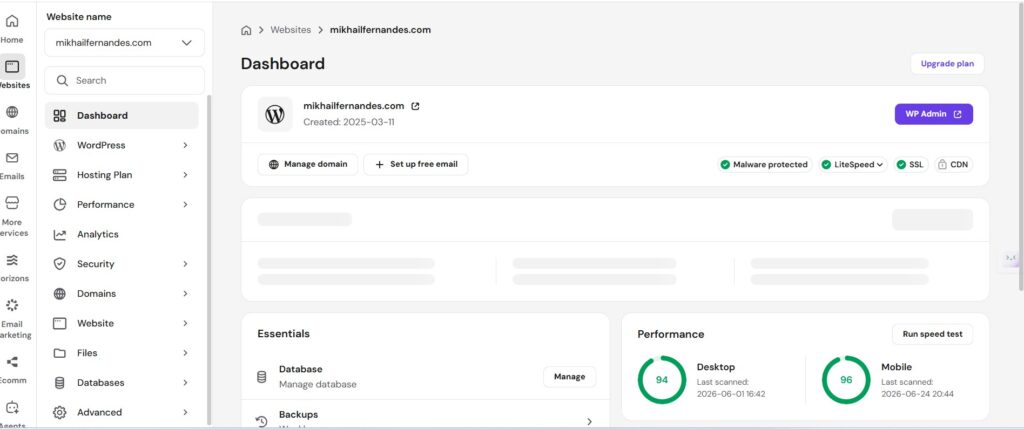
3. Setting Up WordPress Website
When you begin to create a WordPress website, you will be provided with two options:
- Create a website with the help of Hostinger’s Kodee AI builder. The AI will guide you by selecting an editor or creating a page structure before the generation process begins.
- You can skip AI generation and start with the blank WordPress site to begin the installation process.
4. Add Themes
Themes dictate the look and feel of a website and are a crucial item during your WordPress installation process. There are thousands of themes to choose from in the WordPress Directory. However, Hostinger gives you access to the Starter Templates plugin by Astra.
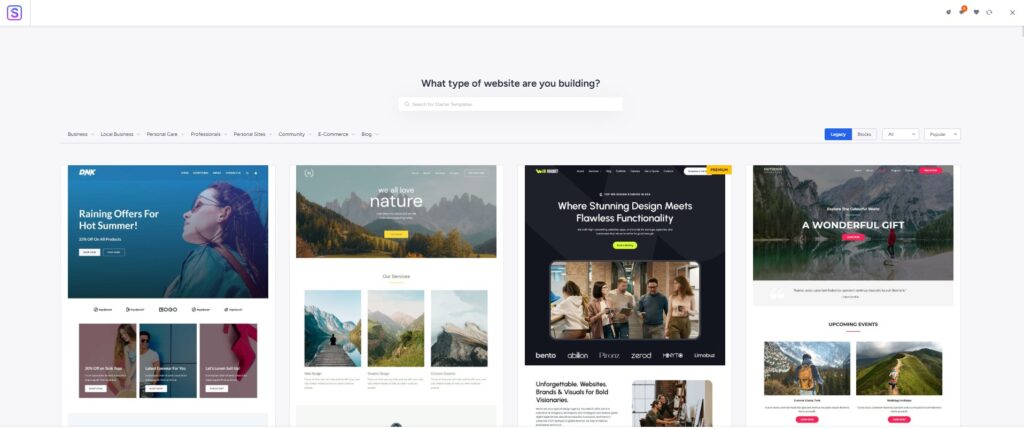
You can select a theme by heading to the Appearance option in the WordPress Dashboard. Click on Themes and select the Add New option. Once you click Activate, the theme will be good to go.
The themes can be fully customized as per your needs. Simply click on the Customize section, and you can edit the theme. You have the option to edit the headline, font, colors, and other prerequisites.
However, there may be certain restrictions on free themes. It is very important to select a theme that brings regular updates, so it can help you stay updated. Another important thing to keep in mind is to check whether they are mobile-friendly. This is essential to ensure that your website is optimized for users.
5. Install Plugins
Plugins are the apps of your website, which enhance the functionality of your website. WordPress has a repository of plugins. To add plugins, simply head over to the Plugins section in the WordPress dashboard and click Add New. Choose the plugins you want and click on Install and activate the plugins. Some plugins every website should have are SEO plugins (Yoast SEO or Rank Math), security plugins, backup solutions, and analytics integration.
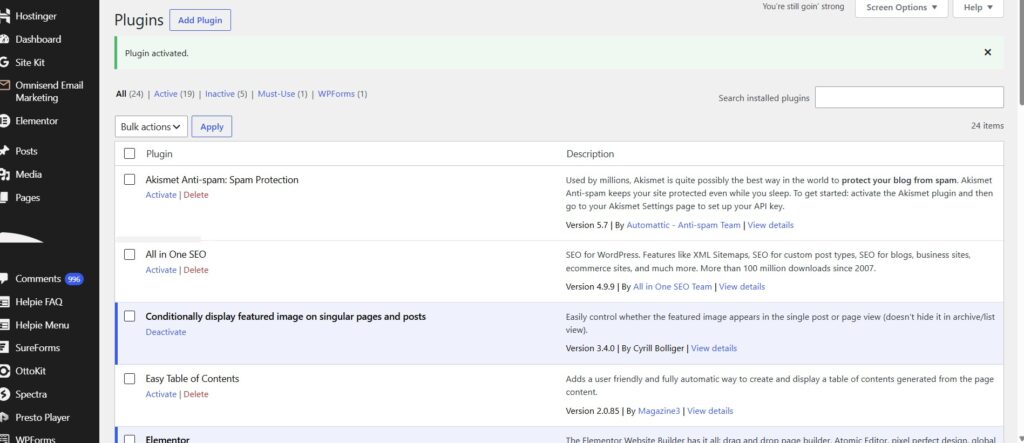
6. Create Key Pages
Any website should have certain pages, regardless of what the site is meant for. The few pages you need to create include:
- Static Home Page: WordPress allows you to create a default home page with a list of the most recent blog posts. However, you can switch over to a customized page to showcase your skills or portfolio.
- About Page: The About page is another major page that has to be on a website. You can add your details and design the page as per your needs.
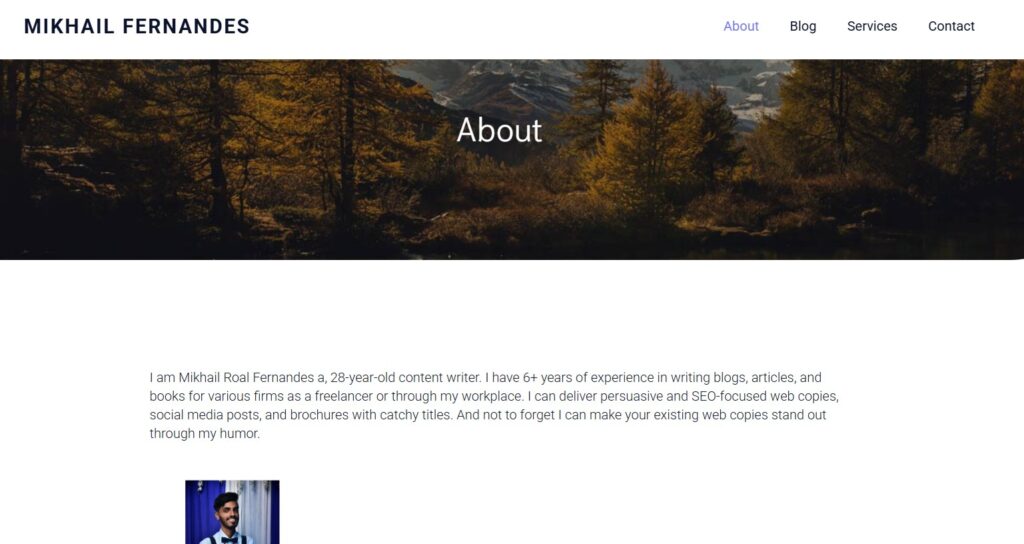
- Contact Page: The Contact Page allows your readers to get in touch with you. On this page, you can add a contact form or insert your contact details.
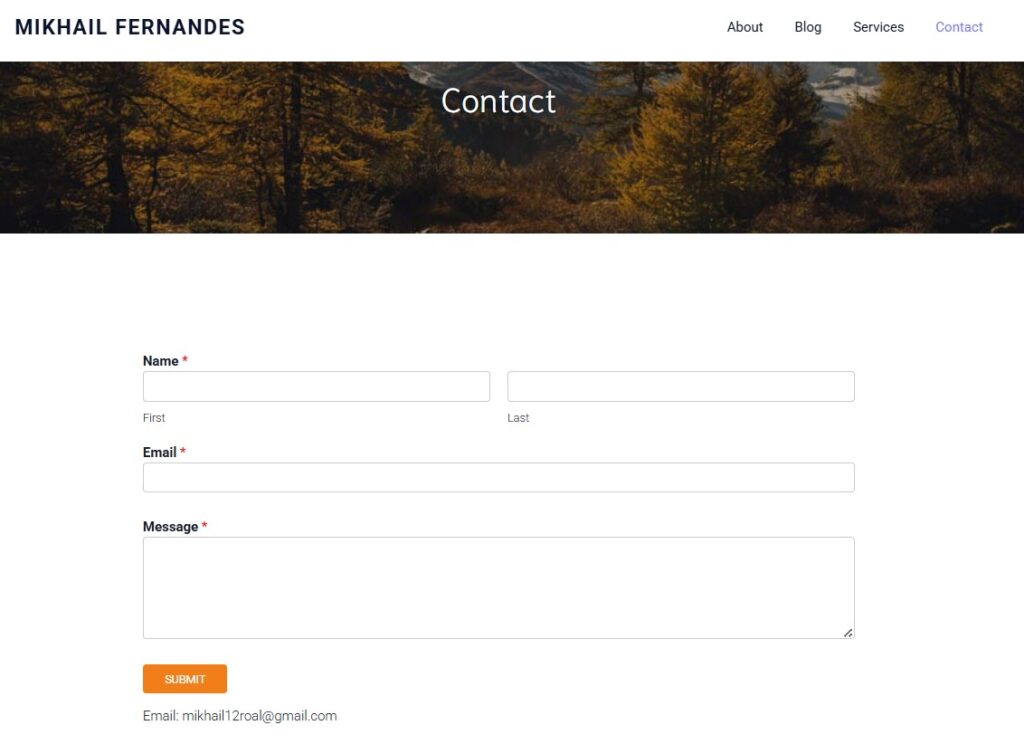
- Blog Page: The blog page is where your brand voice will be displayed. Blogging is a great way to attract organic traffic if you are able to engage the right audience.
Based on your business, you can add product pages, FAQs, testimonials, and other pages.
7. Adust Site Navigation
Website navigation is important to allow visitors to move through your website. The navigation should look natural, letting visitors know where to click.
- Create Friendly Menus: A menu is a primary way visitors navigate your website. Try to limit the main menu to five to seven items to prevent overcrowding.
- Intuitive Widgets: Widgets are also important blocks in the sidebar or footer of the site. Customize them to look friendly and well-organized.
8. Add Content to Your Website
Once your website is set up, you need to start adding content to it. Blog posts, news articles, or other content pieces are great to start. In these pieces, you can add videos, images, and GIFs to make them stand out. More importantly, you need to research keywords, build internal links, and monitor your rankings.
Once the content is published, you can share it through your email list or social media. Ensure that the content is fresh and that you regularly update your themes, plugins, or delete unused items.
Ready To Create a Website in 2026?
I’ve covered nearly all the aspects you’ll need to launch your website on WordPress from scratch. The most important step in all this is to start building today, as every expert was once a beginner. Begin your WordPress journey, and you may end up having a strong presence online.
Frequently Asked Questions.
- 1. Do you need to know coding to build WordPress websites?No, you can create a website without any technical expertise. You can manage everything through its visual dashboard using its page builders.
- 2. Can WordPress Websites be built using AI tools?Yes, AI tools can accelerate the website design and development process. Hostinger’s Kodee AI tool can be utilised to design pages and resolve customer queries.
- 3. What is the best hosting provider to launch a WordPress Website?Hostinger is the best WordPress hosting provider in the space. The platform offers affordable plans with the latest features, ideal for both beginners and large businesses.
One response
[…] Throughout my years working in digital marketing, I have used and evaluated numerous web hosting services. WPX Hosting consistently distinguishes itself with its remarkable speed, strong load-handling capabilities, user-friendly interface, and dependable uptime. Let’s understand its features, data centers, and security to determine whether it is the best fit to build a WordPress website. […]