In today’s digital landscape, high-quality content is very important. However, it is only half of the battle, with SEO optimization playing a pivotal role in ranking on search engines. If you’re looking to improve your website’s SEO and content optimization strategy, you need powerful tools to speed up the process.
SurferSEO is a strong SEO tool that has worked wonders for content creators, SEO experts, and marketers. It is a powerful tool if you’re looking to optimize your content and rank on Google or other search engines. I’ve personally used the tool for 4 years and really loved how it has helped with my SEO efforts and content strategy.
If you’re on the fence about finding a good SEO tool and not sure about SurferSEO, read on. In this review, I’ll cover the platform’s core features, pricing, and overall performance.
What is SurferSEO
SurferSEO is a top content optimization platform in today’s SEO space. The on-page SEO optimization tool was launched in 2017 as a simple SERP analysis tool, but today is a full-fledged content optimization suite. SurferSEO analyzes over 500 signals to provide actionable recommendations, which is why it has over 170,000 active users.
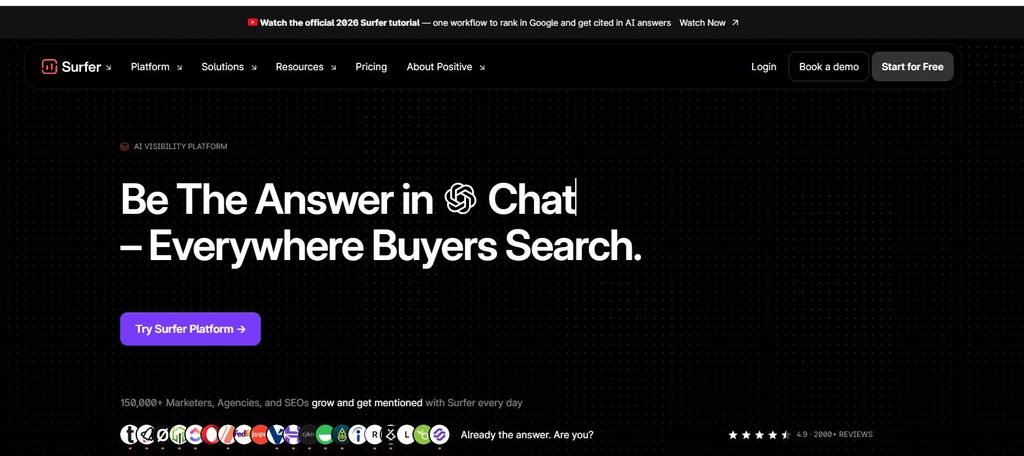
The cloud-based platform uses a data-driven approach to
- Improve your content ranking by optimizing keywords
- Enhance structure and depth of the content
- AI tracking capabilities
- Overall SEO health of your website
SurferSEO is a great tool that’ll help you avoid common SEO mistakes that can cost your website search visibility. Overall, it can help take your content game from good to great in no time.
Features of SurferSEO
1. User Interface and Setup
SurferSEO has a simple setup process that involves creating an account, then establishing a workspace. This takes a few minutes, and then you can connect your site data to start optimizing your content. The platform lets you easily connect with Google Search Console, WordPress, and other apps. Overall, the setup process is quite user-friendly and doesn’t require much technical expertise.
The user interface is intuitive and easy to use and understand for beginners and advanced users. The dashboard allows for quick access to the main features without unnecessary distractions. The platform has numerous visual metrics, such as content score, allowing users to identify areas needing improvement. However, in some cases, the wealth of available data may overwhelm some users.
2. Content Editor
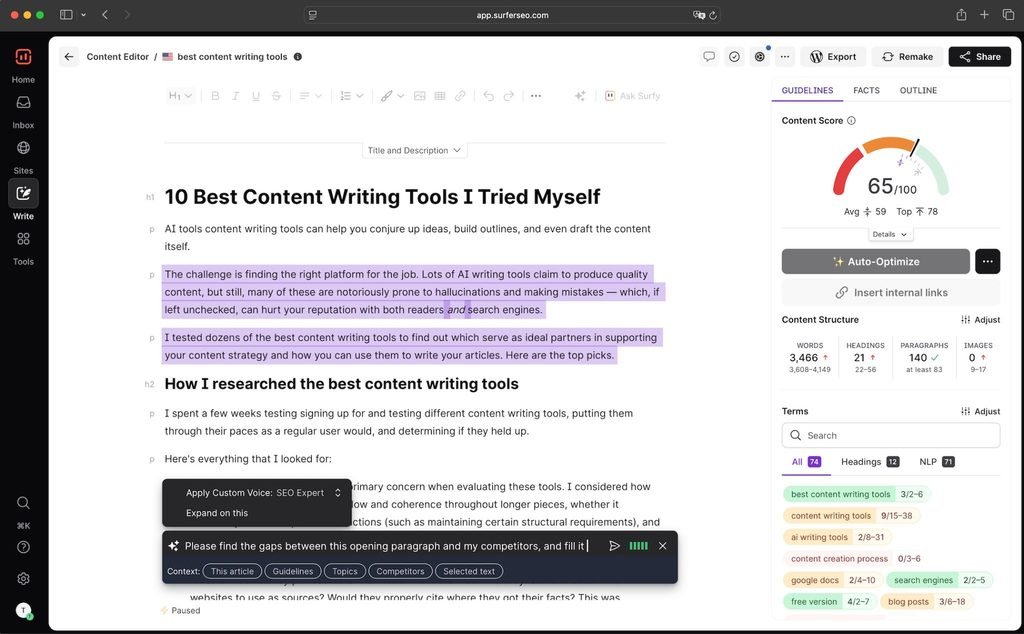
The content editor is SurferSEO’s primary feature, helping you write better content faster. The feature offers real-time data, keyword suggestions, content score, and formatting recommendations. It allows you to track competitor content and identify what they are doing right and how you can improve your content.
This is how it works:
When you enter a target keyword, SurferSEO checks for top-performing pages and provides insights on how you can improve your content. You can check the recommendations in the sidebar next to the editor.
The 3 main recommendations include:
- Content length
- Content structure and formatting
- On-Page SEO factors
Each recommendation is based on top-performing pages for the specified keyword. It follows NLP guidelines and provides semantically related words, phrases, or questions. This makes it different from your standard keyword research SEO tools and more of a semantically defined SEO tool. It is designed to optimize how modern search engines work in today’s digital landscape.
The content editor provides a score ranging from 0 to 100. The score helps you understand how well your content is optimized. Generally, a score above 75 is considered to be good.
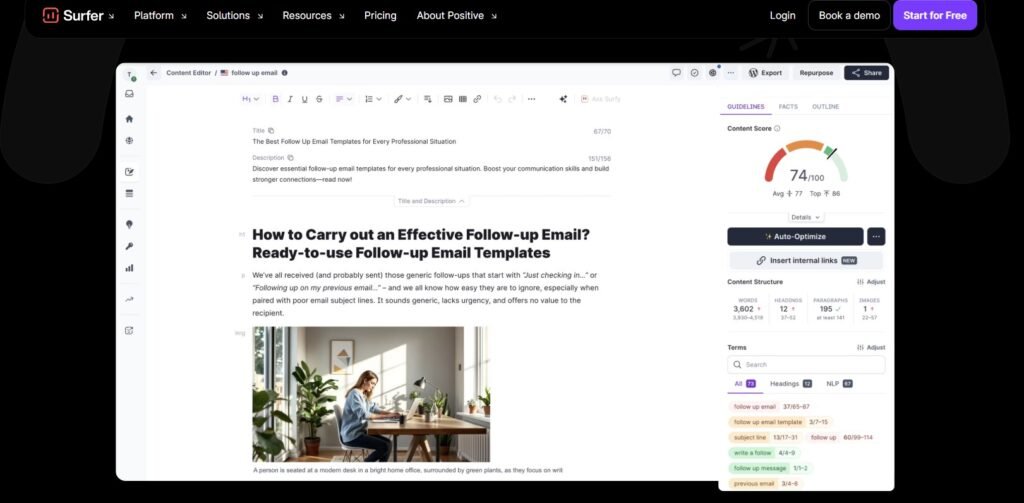
The content editor also supports an AI-supported outline generator that helps create content structures. This speeds up your content creation process; however, they need to be edited for optimal results.
Overall, it provides actionable insights, but it is important not to over-optimize the content. If you closely follow the recommendations, it can hurt readability or lead to keyword stuffing.
3. Content Audit
The Content Audit feature lets you identify and fix any issues that prevent your blog posts from ranking on search engines. It gives you an overview of the content and highlights areas that need improvement. The platform aims to re-optimize page performance and SEO score to rank better.
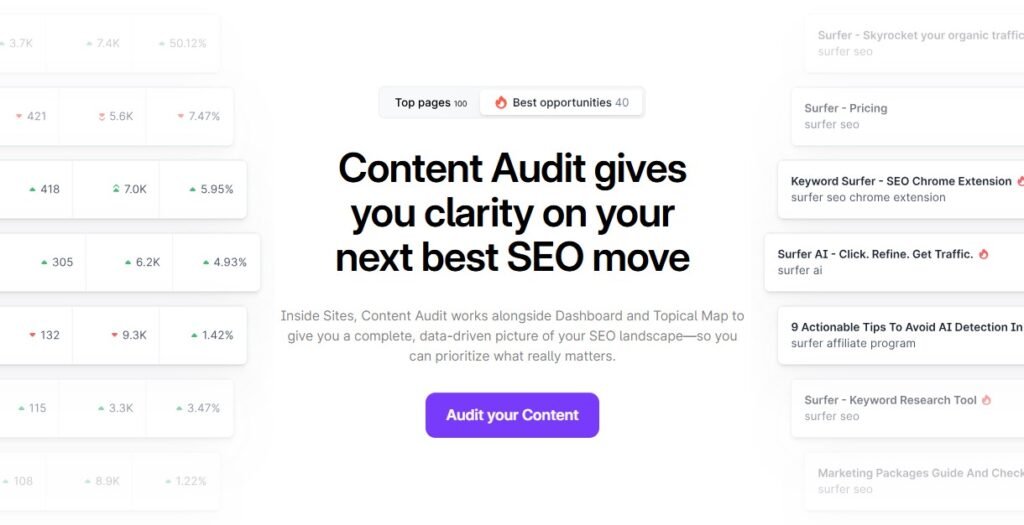
To use the feature, enter the URL of the blog post or pages and the target keyword. SurferSEO analyzes your content and offers a list of recommendations. It will connect to Google Search Console and SERP analysis and point out pages that need more attention.
4. Topical Map
The Topical Map feature, previously called Domain Map, is a robust planning tool. It scans your website and helps organize your content into semantic topic clusters. The feature will check published articles and create a semantic map of your content to show missing subtopics.

The feature helps build topic clusters around the central theme instead of randomly posting new articles. This helps you systematically cover a topic and build topical authority. Overall, the feature saves you valuable time researching content ideas that Google and your audience love.
5. Keyword Research
SurferSEO has a native keyword research tool designed to help users find the best keywords for their target content. It provides key metrics like search volume, competition, CPC, keyword difficulty, and other in-depth insights.
Once you add a specific keyword, the feature automatically groups the keywords into content clusters. It will help you identify relevant and related keywords around the topic to enhance your overall content strategy. You can add its extension to Google Docs to understand the keyword density needed in your content.
6. SERP Analyzer
The SERP Analyzer helps you get competitive insights about your competitors’ pages. It breaks down every prime factor, such as word count, keywords, page rankings, or popular terms. This allows you to analyze the similarities and differences in the structure and performance of the pages.
It is an ideal tool if you need to
- Explore different niches before you decide on a dedicated keyword.
- Compare URLS that are not ranking with those that are ranking on the SERPs.
- Check how your ranking URLs are doing compared to other ranking pages on the SERPs.
- Understand the different ranking factors and positions and see which need more focus.
The SERP Analyzer can be overwhelming, and users may find it less valuable compared to manual SERP analysis. Additionally, you need to pay a $29 add-on cost if you want access to the feature.
7. AI Tracker
The AI Tracker is an additional feature that allows you to track and monitor your brand mentions across AI search engines. The feature evaluates selective prompts and identifies which domains are being cited when the prompt is answered.
Some key metrics you’ll see with this feature are
- Visibility score
- Mention rate
- Average position
- Topics and prompts
- Sources
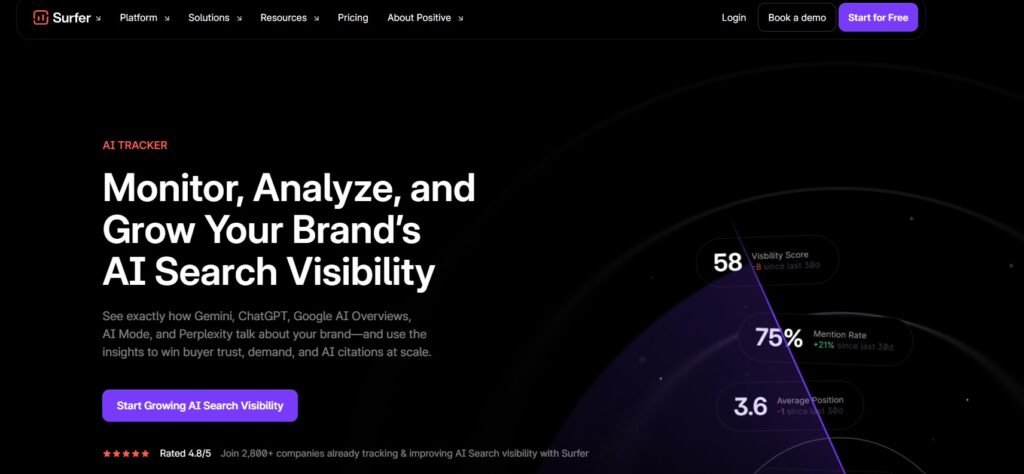
Overall, it is a powerful way to understand how your website content is influencing AI-generated answers.
8. Customer Support
SurferSEO has excellent customer support to resolve customer queries. It offers live chat support on the app, and questions are answered within a few minutes. For billing and onboarding, you can contact them via email. They also have a vast knowledge base containing important articles and documents on key resources. Additionally, they have a community forum where you can connect with like-minded individuals on the platform.
Pricing
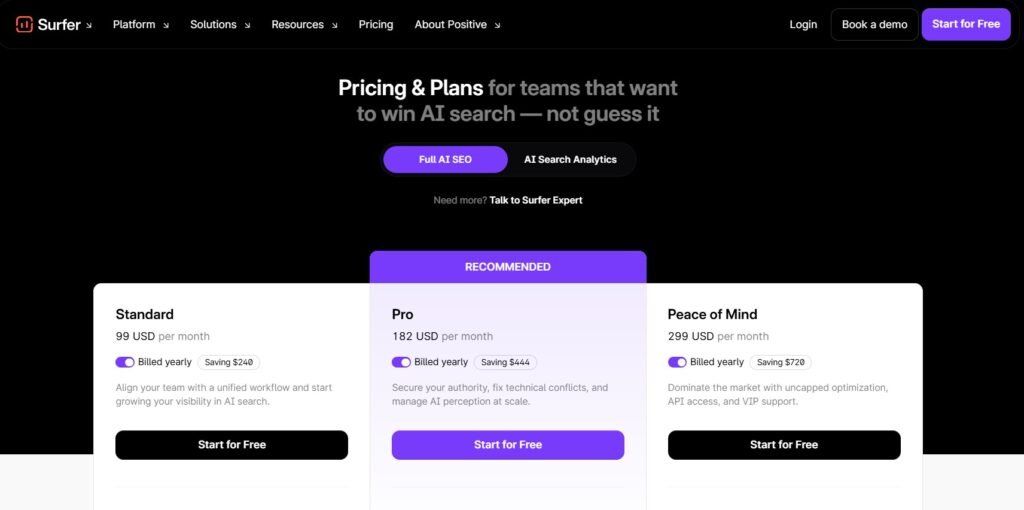
SurferSEO has 3 plans to boost your website SEO. They don’t offer a free plan, but you get access to a 7-day free trial on its Pro plan to test the platform. Additionally, you get free utilities on their website. Let’s look into the plans below.
1. Standard Plan
The Standard plan is a great choice for small business owners or bloggers who are starting in the industry. It costs $99 per month, billed yearly. The features of the plan include:
- Create or optimize 360 documents
- Track AI visibility
- Track 25 AI prompts, which are refreshed weekly
- 1 brand knowledge workspace
- Integrations with WordPress and Google Docs
- Team collaboration
- 1-click content optimization
- Plagiarism Checker
- Rank drop detector
2. Pro Plan
Pro plan is an ideal choice for individuals or agencies owning a few websites. It costs $182 per month, billed yearly. The plan offers all the features of the Standard plan plus:
- Track AI visibility across multiple platforms
- Track 50 AI prompts, which are refreshed weekly
- 5 brand workspaces
- Integrations with WordPress, Google Docs, and Contentful
- 1-click internal linking
- Support Model Concept Protocol (MCP)
- Templates and custom voices
- Cannibalization report
3. Peace of Mind Plan
The Peace of Mind plan is best for large teams that need to manage multiple websites. It is priced at $299 per month, billed yearly. The plan offers all the features of the Pro plan plus:
- Create or optimize unlimited documents
- Track 100 AI prompts, which are refreshed weekly
- Unlimited brand workspaces
- Integrations with WordPress, Google Docs, Zapier, and Contentful
- Advanced SERP analysis
- API access
- Personalized onboarding
- Dedicated success manager
Pros and Cons
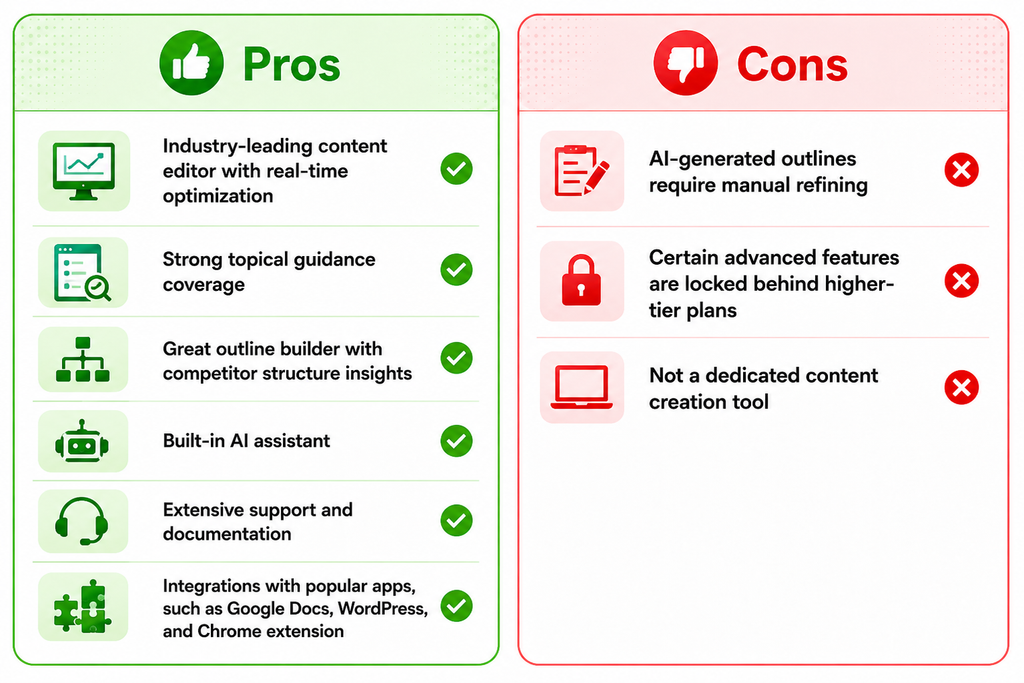
Is SurferSEO Worth the Hype?
Yes, SurferSEO is an exceptional content optimization platform, and I find it quite useful in my content journey. Its content editor is the best in the industry, with a data-driven approach to optimize pages. Today, the platform has evolved into an end-to-end automation tool and has helped optimise my entire content strategy.
The tool has its limitations if you over-optimize its suggestions, which can lead to keyword stuffing. However, once you understand its functionality, the tool delivers exceptional value for content marketers. Its specialized features help you craft and optimize your pages faster, especially if you want to increase your output. Overall, SurferSEO is an exceptional tool if you want to quickly optimize your on-page SEO performance.



One response
[…] SurferSEO is a top data-driven content optimization and SEO tracking tool. The tool provides real-time feedback to optimize content and target keyword rankings. It also helps perform a detailed SERP analysis to refine your on-page SEO strategy compared to your competitors. Its AI tracker feature allows you to track how many times your brand appears in AI results. Additionally, the platform offers real-time alerts for any performance shifts, core updates, and more. […]